


Creating beautiful bead projects is easier than ever with beading program software. Modern bead design software helps you plan patterns, test color combinations, and complete projects with better accuracy. Whether you are a beginner or an experienced artist, digital tools save both time and effort.
Instead of drawing every pattern by hand, you can design beadwork digitally with just a few clicks. Many programs let you preview your work, edit designs instantly, and print ready-to-use layouts. This guide explains everything you need to know before choosing the right software.
What Is Beading Program Software?

Beading program software is a digital tool that helps you create bead patterns for jewelry, loom projects, and decorative artwork. It works as a bead pattern maker and beadwork design software, making pattern creation simple and accurate.
Many applications support seed bead pattern design, different stitch styles, and built-in bead color libraries. They also help organize projects, reduce design mistakes, and produce printable patterns that are easy to follow.
Benefits of Using Beading Program Software
Using beading program software gives you better control over every project. Modern digital beading tools let you test colors, edit layouts, and improve designs before using real beads. This reduces waste and helps you finish projects faster.
Another major benefit is flexibility. You can save multiple versions, share files, and create professional designs using beading pattern software and jewelry design software. These features make the creative process easier for both hobbyists and professionals.
Key Features of Beading Program Software
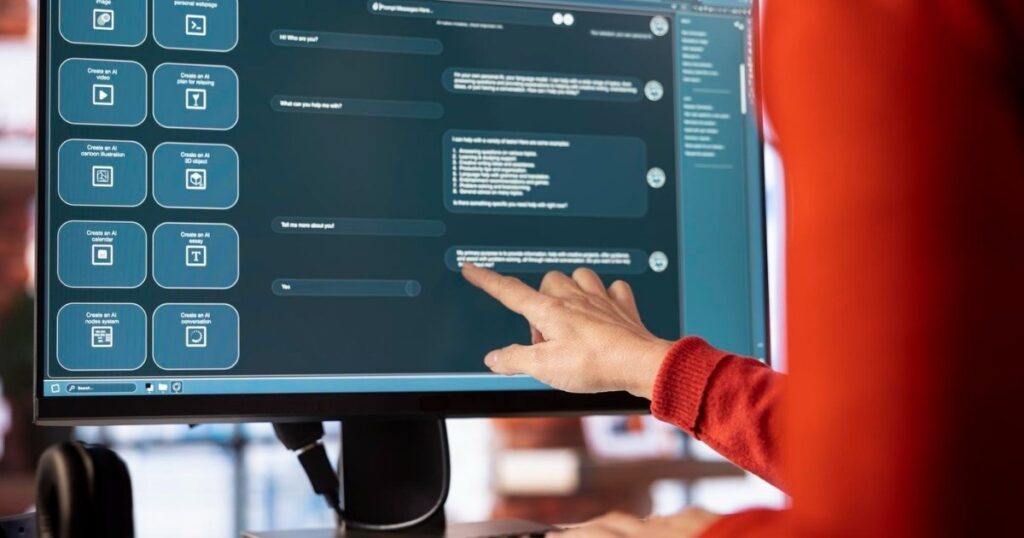
The best beading program software includes tools that make designing simple and accurate. Features like convert image to bead pattern, bead color palette, and zoom controls help you create detailed projects with less effort. These options improve both speed and design quality.
Many programs also offer printable bead patterns, project saving, stitch support, and flexible pattern export options. Some even include a bead count calculator and material cost calculator, helping you estimate supplies before starting a new project.
BeadCreator Pro
BeadCreator Pro is a powerful choice for designers who need advanced features and precision. It supports loom bead pattern software, image conversion, multiple stitch types, and detailed editing tools. The software is suitable for both personal and commercial beadwork projects.
BeadTool 4
BeadTool 4 is one of the most trusted programs among bead artists. It offers excellent bead chart software, large bead color libraries, and support for Miyuki bead colors, Toho bead colors, and Delica bead patterns, making pattern planning highly accurate.
Beadographer
Beadographer is a browser-based tool that requires no installation. This online beading software is easy to use and works well for creating bead weaving patterns, especially for beginners who want a clean and simple interface.
Stitch Fiddle
Stitch Fiddle is a flexible bead pattern creator that supports beadwork, knitting, and crochet projects. Its simple editor, printable charts, and cloud storage make it a practical option for users who want to design and edit patterns from anywhere.
How to Create Beading Patterns Easily
Creating bead designs starts by selecting your project and choosing the right beading program software. You can import a photo to convert the image to bead pattern or begin with a blank canvas. Most tools let you adjust colors, bead size, and layout in just a few steps.
After finishing the design, review every detail before saving your work. Many programs support printable beading charts, bead graph software, and project exports, allowing you to print, share, or edit your pattern whenever needed.
Choosing the Right Beading Program Software

Choosing the right software depends on your experience, project type, and budget. Beginners often prefer beginner beading software with simple menus, while professionals look for professional bead design tools that offer advanced editing and customization features.
You should also compare compatibility, updates, and available support before making a decision. A good bead design application should include useful features, regular improvements, and an easy learning curve to help you create better beadwork over time.
Free vs Paid Beading Program Software
Free tools are a great way to learn the basics without spending money. Many free beading software options include simple editing tools, basic stitch support, and a bead project planner. They work well for beginners creating small or personal projects.
Paid software offers advanced features for serious designers. The free vs paid beading software comparison often comes down to better editing, larger bead color libraries, automatic reports, cloud storage, and faster pattern export options for professional-quality results.
Common Beading Software Mistake
One common mistake is using low-quality images when you create bead patterns. Blurry photos often produce inaccurate layouts and poor color matching. Choosing the correct image and checking the preview before exporting can prevent these issues.
Another mistake is ignoring software settings and bead sizes. Using the wrong stitch type or skipping color adjustments may affect the final design. Taking time to review every detail helps your finished beadwork look clean, balanced, and professional.
Conclusion
Choosing the right beading program software can make every project easier, faster, and more enjoyable. Whether you prefer simple designs or detailed artwork, the right tool helps you work with confidence while improving accuracy and creativity.
Compare features, test free versions, and select software that matches your skill level and project needs. With the right program, you can create beautiful bead patterns, reduce mistakes, and turn creative ideas into professional-quality designs.
FAQs
1. What is the best beading program software for beginners?
Beadographer and Beads Creator are excellent for beginners because they are easy to use. They provide simple tools for creating bead patterns without a steep learning curve.
2. Can beading program software convert photos into bead patterns?
Yes, many programs can convert images to bead patterns automatically. You can edit colors, bead size, and layout before saving or printing the design.
3. Is free beading program software worth using?
Free software is ideal for learning basic design skills and small projects. Paid versions offer more advanced tools, larger bead libraries, and better customization.
4. Which beading software supports loom and peyote stitches?
Programs like BeadCreator Pro, BeadTool 4, and Loomerly support loom, peyote, brick, and several other popular beading techniques.
5. What features should I look for in beading program software?
Choose software with image conversion, color libraries, stitch support, printable patterns, and export options. These features help you create accurate and professional bead designs.

Welcome to The Tech Millon! I’m Ethan Clark, an AI-Powered SEO and Content Writer with 4 years of experience. I help websites rank higher, grow traffic, and look amazing. My goal is to make SEO and web design simple and effective for everyone. Let’s achieve more together!