

Seeing mobile network state disconnected on your phone can be frustrating, especially when Wi-Fi works normally. This message usually means your phone isn’t connected properly to the carrier’s mobile data service.
The problem can come from your SIM, settings, coverage, or carrier. Fortunately, most mobile network disconnected problems don’t require professional repair. A few simple checks can often restore your connection.
What Does Mobile Network State Disconnected Mean?

When your phone shows mobile network state disconnected, it usually means the device hasn’t established an active mobile data connection. Your phone may still display signal bars because it can detect a nearby cell tower.
However, signal strength and internet access aren’t the same thing. Your device must complete mobile network registration and establish a usable data path before cellular internet can work properly.
Why Does Mobile Network State Disconnected Happen?
Several things can trigger this status. Incorrect APN settings, disabled mobile data, or unsuitable network preferences can prevent your phone from connecting correctly. A faulty SIM or temporary software problem can cause similar symptoms.
Network conditions matter as well. Weak mobile signal, local outages, and network congestion can interrupt service. Sometimes the problem appears after changing carriers, traveling, or switching between 4G and 5G networks.
Device Issues vs. Carrier Network Problems
A quick comparison can reveal the likely source. If your phone alone has trouble, check its settings and SIM first. If several nearby users on the same carrier have network connectivity issues, the carrier may have an outage or service fault.
Common Causes of Network Disconnection
A cellular connection depends on several steps working together. Your SIM identifies your account, the radio connects to a tower, and the carrier authorizes service. A network registration failure at any stage can leave your phone disconnected.
Common SIM card problems include an inactive SIM, damaged card, poor contact, or account restriction. Meanwhile, Android network issues can result from incorrect settings, outdated software, or a temporary cellular-radio glitch.
| Problem | What You May Notice | First Check |
| SIM problem | No service or SIM warning | SIM status |
| APN problem | Calls work but data fails | APN settings |
| Weak coverage | Connection changes by location | Signal strength |
| Carrier outage | Several users lose service | Carrier status |
| Network setting | Wrong connection type | Network mode |
How to Check Your Mobile Network Status

Start by checking cellular data settings and make sure mobile data is enabled. Turn Airplane Mode off if it’s active. Then check whether your phone shows LTE, 4G, or 5G beside the signal indicator.
Next, test calls, texts, and the internet separately. If calls work but websites don’t load, the problem may involve your data configuration. You can also check network coverage by moving outdoors or trying another nearby location.
How to Fix Mobile Network State Disconnected
Start with the easiest solution. Restart mobile device to refresh its cellular connection. You can also turn Airplane Mode on for about 10 seconds before switching it off. This forces the phone to reconnect with the available cellular network.
If the problem continues, review APN settings and confirm they match your carrier’s requirements. You can also reset network settings when simpler fixes fail. Remember that this can remove saved Wi-Fi and other network configurations.
Android and iPhone Network Issues
Android phones can show an Android mobile network state that varies by manufacturer. Samsung, Pixel, Motorola, and other devices may use different menu names. Check mobile data, SIM status, preferred network type, and network selection before changing advanced options.
iPhones use different menus but follow the same basic troubleshooting process. If your phone says network disconnected, check the active cellular line and data settings. Restarting the phone and installing available carrier or software updates can also help.
Can SIM or eSIM Cause This Problem?
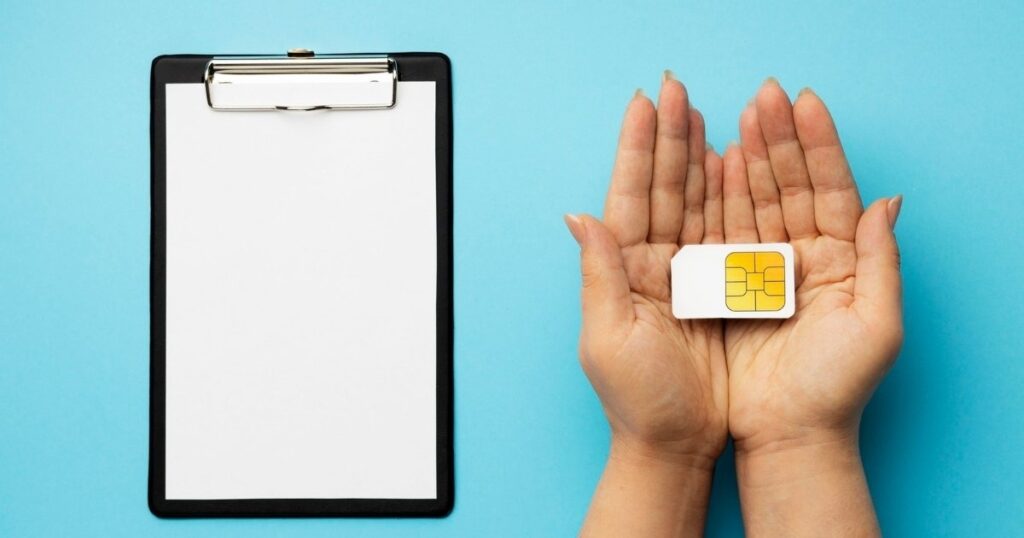
A physical SIM can cause connection failures when it’s damaged, inactive, incorrectly inserted, or no longer supported by the carrier. If your phone shows a SIM card not detected, reseat the card carefully or ask your carrier about replacement.
eSIM profiles can experience activation and configuration problems too. Poor eSIM connectivity may appear after changing phones or carriers. Don’t delete an active eSIM unless necessary because you may need your carrier to activate the service again.
When Is the Problem With Your Mobile Carrier?
Sometimes your phone is working correctly while the carrier isn’t. A carrier network outage can affect calls and data across a local area. Tower maintenance, network congestion, authentication problems, or core-network failures can also interrupt service.
Technical faults can be more complex. A mobile network attack failure can prevent proper registration, while interference can weaken radio communication. Repeated handover failure can also cause dropped connections when your phone moves between cellular towers.
How to Prevent Mobile Network Disconnections

Regular maintenance can reduce unexpected connection problems. Keep your phone updated and avoid changing network mode settings without a clear reason. Also, enable mobile data when needed and make sure your preferred network supports your area.
When traveling, check your carrier plan and roaming settings beforehand. Roaming network issues can interrupt your cellular network connection when roaming isn’t supported. If problems keep returning, note where they happen because this can reveal coverage gaps or recurring carrier faults.
Conclusion
A mobile network state disconnected message can be frustrating, but it’s often easy to fix. Start by checking mobile data, SIM or eSIM, APN settings, network mode, and signal strength. Restarting the phone or resetting network settings can also restore the connection.
If the problem continues, the cause may be a carrier network outage, coverage issue, or account problem. Checking your carrier status and contacting support can help identify the issue and get your mobile network connection working again.
FAQs
1. What does mobile network state disconnected mean?
It means your phone isn’t properly connected to the carrier’s mobile data network. Check your SIM, mobile data, and network settings.
2. How do I fix mobile network state disconnected?
Restart your phone and toggle Airplane Mode. Then check APN settings, network mode, and mobile data.
3. Can a SIM card cause network disconnection?
Yes. A damaged, inactive, or poorly inserted SIM can cause connection problems and prevent mobile network registration.
4. Why does my phone have a signal but no mobile internet?
Signal bars only show tower reception. Incorrect APN settings, network congestion, or carrier problems can still stop mobile data.
5. When should I contact my mobile carrier?
Contact your carrier if troubleshooting doesn’t work or multiple people have the same issue. There may be an outage or account-related problem.

Welcome to The Tech Millon! I’m Ethan Clark, an AI-Powered SEO and Content Writer with 4 years of experience. I help websites rank higher, grow traffic, and look amazing. My goal is to make SEO and web design simple and effective for everyone. Let’s achieve more together!